Quick Options
Controlled slide-up overlays for selecting product variants and submitting quick-buy choices.
QuickOptions is the fast path to variant selection. It slides over the product surface with a lightweight native transition instead of sending shoppers to a full product page, which makes it a good fit for listing grids, recommendation modules, and shoppable scenes.
Installation
npx shadcn@latest add @shoppablecn/quick-optionsUsage
QuickOptions is a controlled component. You decide what opens it and what to do with the selected variant payload once the shopper confirms.
Swatch
Swatch options
Single swatch selector for picking a colorway.
import * as React from "react"

import { QuickOptions } from "@/components/ui/quick-options"
import type { ProductVariant } from "@/components/ui/types"

export function Example() {
  const [open, setOpen] = React.useState(false)
  const variants = [
    {
      id: "upholstery",
      name: "Upholstery",
      type: "swatch",
      required: true,
      options: [
        { label: "Oat", value: "oat", swatch: "#e6ddd1" },
        { label: "Pebble", value: "pebble", swatch: "#b8b0a4" },
        { label: "Charcoal", value: "charcoal", swatch: "#44403c" },
      ],
    },
  ] satisfies ProductVariant[]

  return (
    <>
      <button onClick={() => setOpen(true)} type="button">
        Open quick options
      </button>
      <QuickOptions
        onAddToCart={() => setOpen(false)}
        onOpenChange={setOpen}
        open={open}
        variants={variants}
      />
    </>
  )
}
Pills
Pill options
Pill buttons for compact size selection.
import * as React from "react"

import { QuickOptions } from "@/components/ui/quick-options"
import type { ProductVariant } from "@/components/ui/types"

export function Example() {
  const [open, setOpen] = React.useState(false)
  const variants = [
    {
      id: "leg-finish",
      name: "Leg finish",
      type: "pills",
      options: [
        { label: "Oak", value: "oak" },
        { label: "Walnut", value: "walnut" },
        { label: "Black", value: "black" },
      ],
    },
  ] satisfies ProductVariant[]

  return (
    <QuickOptions
      onAddToCart={() => setOpen(false)}
      onOpenChange={setOpen}
      open={open}
      variants={variants}
    />
  )
}
Select
Select options
Select input for longer or more descriptive option labels.
import * as React from "react"

import { QuickOptions } from "@/components/ui/quick-options"
import type { ProductVariant } from "@/components/ui/types"

export function Example() {
  const [open, setOpen] = React.useState(false)
  const variants = [
    {
      id: "accent-pillow",
      name: "Accent pillow",
      type: "select",
      options: [
        { label: "No pillow", value: "none" },
        { label: "Solstice print", value: "solstice" },
        { label: "Stone boucle", value: "stone" },
      ],
    },
  ] satisfies ProductVariant[]

  return (
    <QuickOptions
      onAddToCart={() => setOpen(false)}
      onOpenChange={setOpen}
      open={open}
      variants={variants}
    />
  )
}
Slider
Slider options
Slider input for numeric customization like measurements.
import * as React from "react"

import { QuickOptions } from "@/components/ui/quick-options"
import type { ProductVariant } from "@/components/ui/types"

export function Example() {
  const [open, setOpen] = React.useState(false)
  const variants = [
    {
      id: "seat-depth",
      name: "Seat depth",
      type: "slider",
      options: [],
      sliderConfig: {
        min: 34,
        max: 44,
        step: 1,
        unit: "in",
      },
    },
  ] satisfies ProductVariant[]

  return (
    <QuickOptions
      onAddToCart={() => setOpen(false)}
      onOpenChange={setOpen}
      open={open}
      variants={variants}
    />
  )
}
Checkbox
Checkbox options
Checkbox group for optional add-ons and multi-select extras.
import * as React from "react"

import { QuickOptions } from "@/components/ui/quick-options"
import type { ProductVariant } from "@/components/ui/types"

export function Example() {
  const [open, setOpen] = React.useState(false)
  const variants = [
    {
      id: "add-ons",
      name: "Add-ons",
      type: "checkbox",
      options: [
        { label: "Assembly service", value: "assembly" },
        { label: "Fabric protection", value: "fabric-protection" },
        { label: "Matching ottoman", value: "ottoman" },
      ],
    },
  ] satisfies ProductVariant[]

  return (
    <QuickOptions
      onAddToCart={() => setOpen(false)}
      onOpenChange={setOpen}
      open={open}
      variants={variants}
    />
  )
}
Radio
Radio options
Radio group for mutually exclusive choices with clear labels.
import * as React from "react"

import { QuickOptions } from "@/components/ui/quick-options"
import type { ProductVariant } from "@/components/ui/types"

export function Example() {
  const [open, setOpen] = React.useState(false)
  const variants = [
    {
      id: "delivery",
      name: "Delivery",
      type: "radio",
      required: true,
      options: [
        { label: "Standard", value: "standard" },
        { label: "Room of choice", value: "room-of-choice" },
        { label: "White glove", value: "white-glove" },
      ],
    },
  ] satisfies ProductVariant[]

  return (
    <QuickOptions
      onAddToCart={() => setOpen(false)}
      onOpenChange={setOpen}
      open={open}
      variants={variants}
    />
  )
}
All six combined
Harbor Lounge Chair Setup
Full quick-buy flow with every supported option type in one overlay.
import * as React from "react"

import { QuickOptions } from "@/components/ui/quick-options"
import type { ProductVariant } from "@/components/ui/types"

export function Example() {
  const [open, setOpen] = React.useState(false)
  const variants = [
    {
      id: "upholstery",
      name: "Upholstery",
      type: "swatch",
      required: true,
      options: [
        { label: "Oat", value: "oat", swatch: "#e6ddd1" },
        { label: "Pebble", value: "pebble", swatch: "#b8b0a4" },
      ],
    },
    {
      id: "leg-finish",
      name: "Leg finish",
      type: "pills",
      options: [
        { label: "Oak", value: "oak" },
        { label: "Walnut", value: "walnut" },
      ],
    },
    {
      id: "accent-pillow",
      name: "Accent pillow",
      type: "select",
      options: [
        { label: "No pillow", value: "none" },
        { label: "Solstice print", value: "solstice" },
      ],
    },
    {
      id: "seat-depth",
      name: "Seat depth",
      type: "slider",
      options: [],
      sliderConfig: { min: 34, max: 44, step: 1, unit: "in" },
    },
    {
      id: "add-ons",
      name: "Add-ons",
      type: "checkbox",
      options: [
        { label: "Assembly service", value: "assembly" },
        { label: "Fabric protection", value: "fabric-protection" },
      ],
    },
    {
      id: "delivery",
      name: "Delivery",
      type: "radio",
      required: true,
      options: [
        { label: "Standard", value: "standard" },
        { label: "White glove", value: "white-glove" },
      ],
    },
  ] satisfies ProductVariant[]

  return (
    <QuickOptions
      onAddToCart={() => setOpen(false)}
      onOpenChange={setOpen}
      open={open}
      variants={variants}
    />
  )
}
Required field validation
Required validation
Required fields keep the Add to cart button disabled until each required option is chosen.
import * as React from "react"

import { QuickOptions } from "@/components/ui/quick-options"
import type { ProductVariant } from "@/components/ui/types"

export function Example() {
  const [open, setOpen] = React.useState(false)
  const variants = [
    {
      id: "upholstery",
      name: "Upholstery",
      type: "swatch",
      required: true,
      options: [
        { label: "Oat", value: "oat", swatch: "#e6ddd1" },
        { label: "Pebble", value: "pebble", swatch: "#b8b0a4" },
      ],
    },
    {
      id: "delivery",
      name: "Delivery",
      type: "radio",
      required: true,
      options: [
        { label: "Standard", value: "standard" },
        { label: "White glove", value: "white-glove" },
      ],
    },
  ] satisfies ProductVariant[]

  return (
    <QuickOptions
      onAddToCart={() => setOpen(false)}
      onOpenChange={setOpen}
      open={open}
      variants={variants}
    />
  )
}
Disabled options
Disabled options
Disabled options remain visible, but cannot be selected.
import * as React from "react"

import { QuickOptions } from "@/components/ui/quick-options"
import type { ProductVariant } from "@/components/ui/types"

export function Example() {
  const [open, setOpen] = React.useState(false)
  const variants = [
    {
      id: "upholstery",
      name: "Upholstery",
      type: "swatch",
      required: true,
      options: [
        { label: "Oat", value: "oat", swatch: "#e6ddd1" },
        { label: "Pebble", value: "pebble", swatch: "#b8b0a4", disabled: true },
        { label: "Charcoal", value: "charcoal", swatch: "#44403c" },
      ],
    },
    {
      id: "delivery",
      name: "Delivery",
      type: "radio",
      options: [
        { label: "Standard", value: "standard" },
        { label: "White glove", value: "white-glove", disabled: true },
      ],
    },
  ] satisfies ProductVariant[]

  return (
    <QuickOptions
      onAddToCart={() => setOpen(false)}
      onOpenChange={setOpen}
      open={open}
      variants={variants}
    />
  )
}
Trigger patterns
Open from any UI
QuickOptions only needs controlled open state, so it can open from buttons, inline links, or card actions.
import * as React from "react"

import { Button } from "@/components/ui/button"
import { QuickOptions } from "@/components/ui/quick-options"
import type { ProductVariant } from "@/components/ui/types"

export function Example() {
  const [open, setOpen] = React.useState(false)
  const variants = [
    {
      id: "upholstery",
      name: "Upholstery",
      type: "swatch",
      required: true,
      options: [
        { label: "Oat", value: "oat", swatch: "#e6ddd1" },
        { label: "Pebble", value: "pebble", swatch: "#b8b0a4" },
      ],
    },
    {
      id: "delivery",
      name: "Delivery",
      type: "radio",
      required: true,
      options: [
        { label: "Standard", value: "standard" },
        { label: "White glove", value: "white-glove" },
      ],
    },
  ] satisfies ProductVariant[]

  return (
    <>
      <Button onClick={() => setOpen(true)} type="button">
        Quick Buy
      </Button>
      <QuickOptions
        onAddToCart={() => setOpen(false)}
        onOpenChange={setOpen}
        open={open}
        variants={variants}
      />
    </>
  )
}
Product card trigger
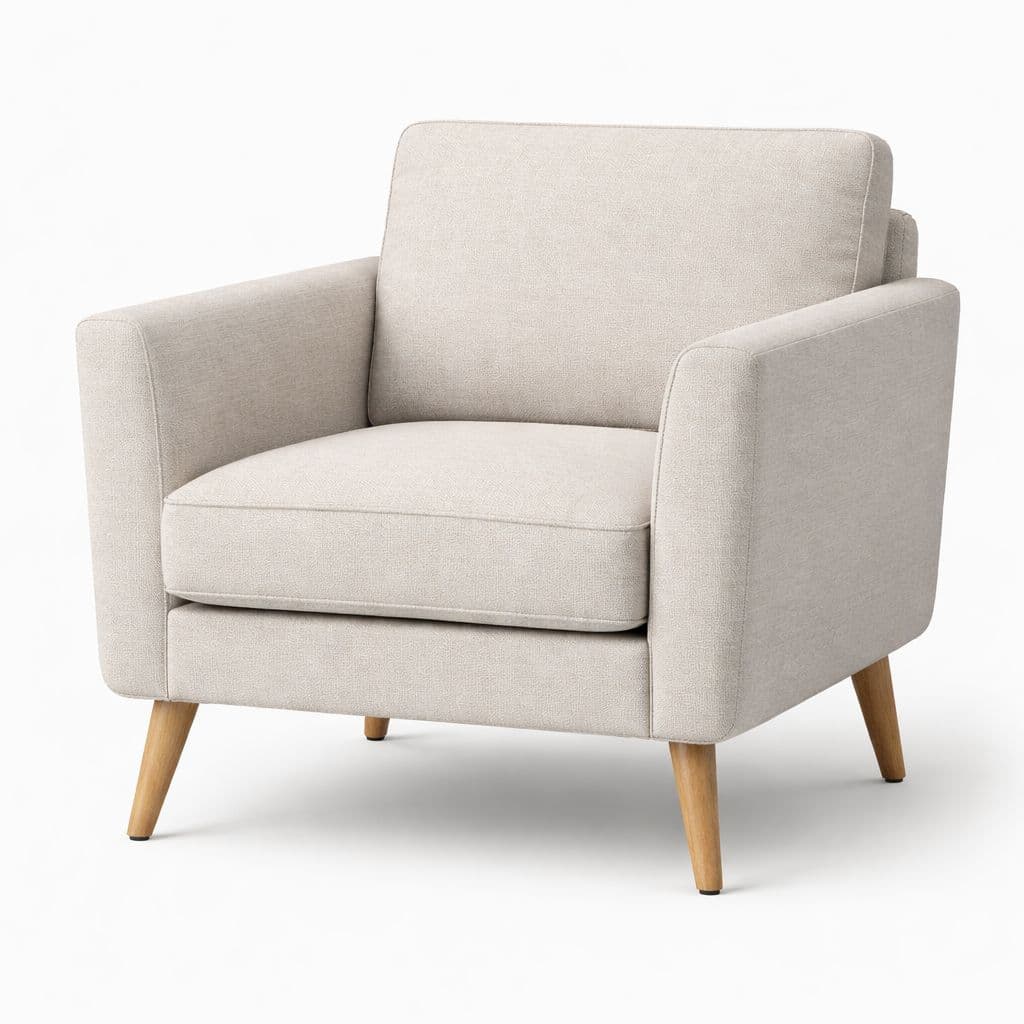
Seating
Harbor Lounge Chair Setup
import * as React from "react"

import { Card } from "@/components/ui/card"
import { ProductCard } from "@/components/ui/product-card"
import { QuickOptions } from "@/components/ui/quick-options"
import type { Product, ProductVariant } from "@/components/ui/types"

export function Example() {
  const [open, setOpen] = React.useState(false)

  const variants = [
    {
      id: "upholstery",
      name: "Upholstery",
      type: "swatch",
      required: true,
      options: [
        { label: "Ivory", value: "ivory", swatch: "#e7e2d9" },
        { label: "Sand", value: "sand", swatch: "#d4c4b2" },
      ],
    },
    {
      id: "delivery",
      name: "Delivery",
      type: "radio",
      required: true,
      options: [
        { label: "Standard", value: "standard" },
        { label: "White glove", value: "white-glove" },
      ],
    },
  ] satisfies ProductVariant[]

  const product = {
    id: "chair-001",
    title: "Harbor Lounge Chair",
    category: "Seating",
    images: [
      {
        src: "/products/harbor-lounge-chair.jpg",
        alt: "Harbor Lounge Chair in ivory upholstery with warm oak legs",
      },
    ],
    price: { amount: 48900, currency: "USD" },
    badge: { label: "Made to Order", variant: "default" },
    variants,
  } satisfies Product

  return (
    <Card className="group/card relative h-full max-w-sm gap-0 overflow-hidden py-0">
      <ProductCard.Image layout="vertical" product={product} />

      <div className="flex flex-1 flex-col gap-4 p-4">
        <div className="space-y-3">
          <p className="text-sm text-muted-foreground">{product.category}</p>
          <ProductCard.Title layout="vertical" product={product} />
        </div>

        <div className="mt-auto flex items-center justify-between gap-3">
          <ProductCard.Price price={product.price} />
          <ProductCard.Actions
            layout="vertical"
            onPrimaryAction={() => setOpen(true)}
            primaryActionExpanded={open}
            primaryActionHasPopup="dialog"
            primaryActionLabel="Buy now"
            product={product}
            showQuickView={false}
          />
        </div>
      </div>

      {product.badge ? <ProductCard.Badge badge={product.badge} /> : null}

      <QuickOptions
        onAddToCart={() => setOpen(false)}
        onOpenChange={setOpen}
        open={open}
        variants={variants}
      />
    </Card>
  )
}
Props
Prop
Type
Accessibility
- Focus moves into the overlay on open and returns to the trigger when it closes.
- Escape closes the overlay.
- Required state is reflected in the disabled state of the submit action.
- The slide-up opening motion respects
prefers-reduced-motion. - Radix-based controls expose the expected semantics for screen readers.
Related
- ProductCard uses QuickOptions for overlay mode.